Control your video.On infrastructure you control.

A self-hosted video management system for live monitoring, recording, playback and export, running on servers your team administers.

For security teams that keep their recordings and their infrastructure in their own hands.
Self-hosted on LinuxKarnux-owned recordingsStandalone or distributed recording
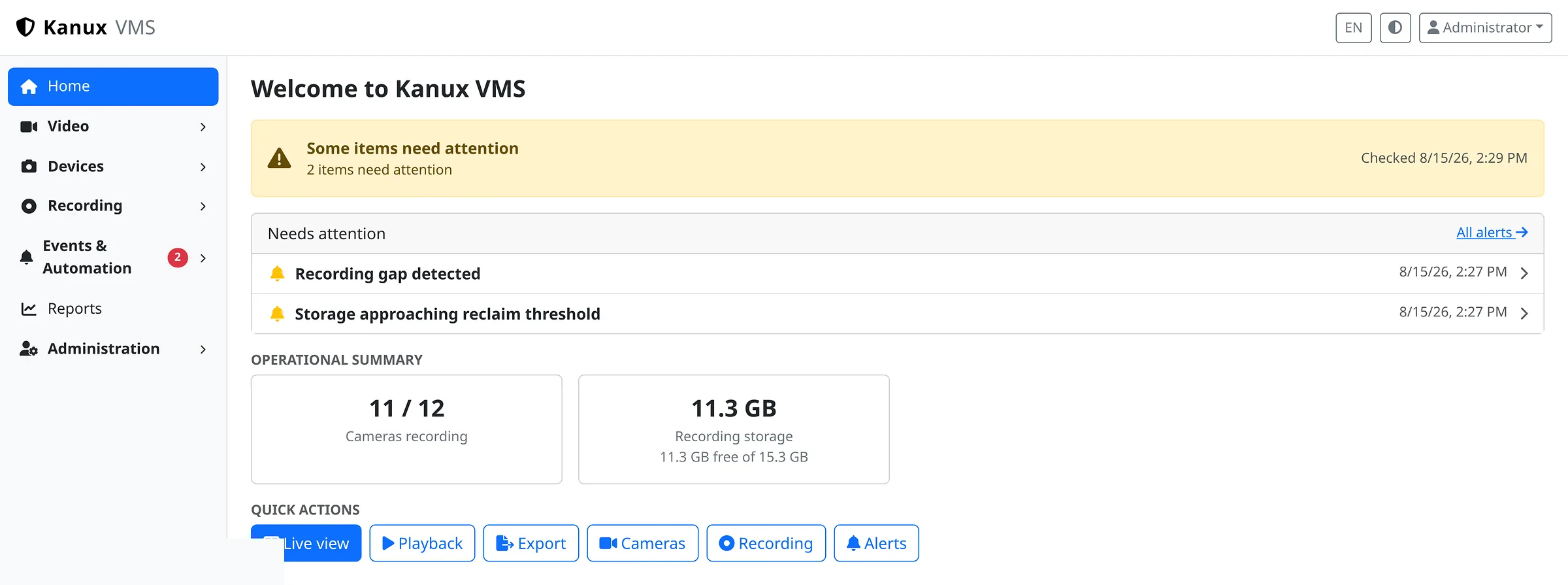
The Karnux Home command centre showing an attention banner, the needs-attention list, an operational summary of cameras recording and recording storage, and quick actions.
Self-hostedRuns on servers you administer.
Your recordingsFootage stays on storage you control.
No forced cloudNo mandatory cloud video service.
Two deployment shapesOne server, or central management with recording nodes.

Why self-hosted

The market is moving to the cloud. Your video does not have to.

Video is among the most sensitive data an organization holds, and the most expensive to move. Karnux keeps the whole workflow inside infrastructure you already run.

01

Recordings stay where you put them

Video is written to storage on your own servers. Nothing is uploaded to a hosted video service.

02

You own the operating boundary

Karnux runs inside your network, behind your own access control and network policy.

03

Capacity is a hardware decision

Camera count and retention follow the servers and storage you provision, not a plan tier.

04

No external video service

Live view, recording, playback and export are all served by your own systems.

The real interface

A live wall made for actual monitoring.

Several cameras on one screen, with saved layouts and per-tile controls.
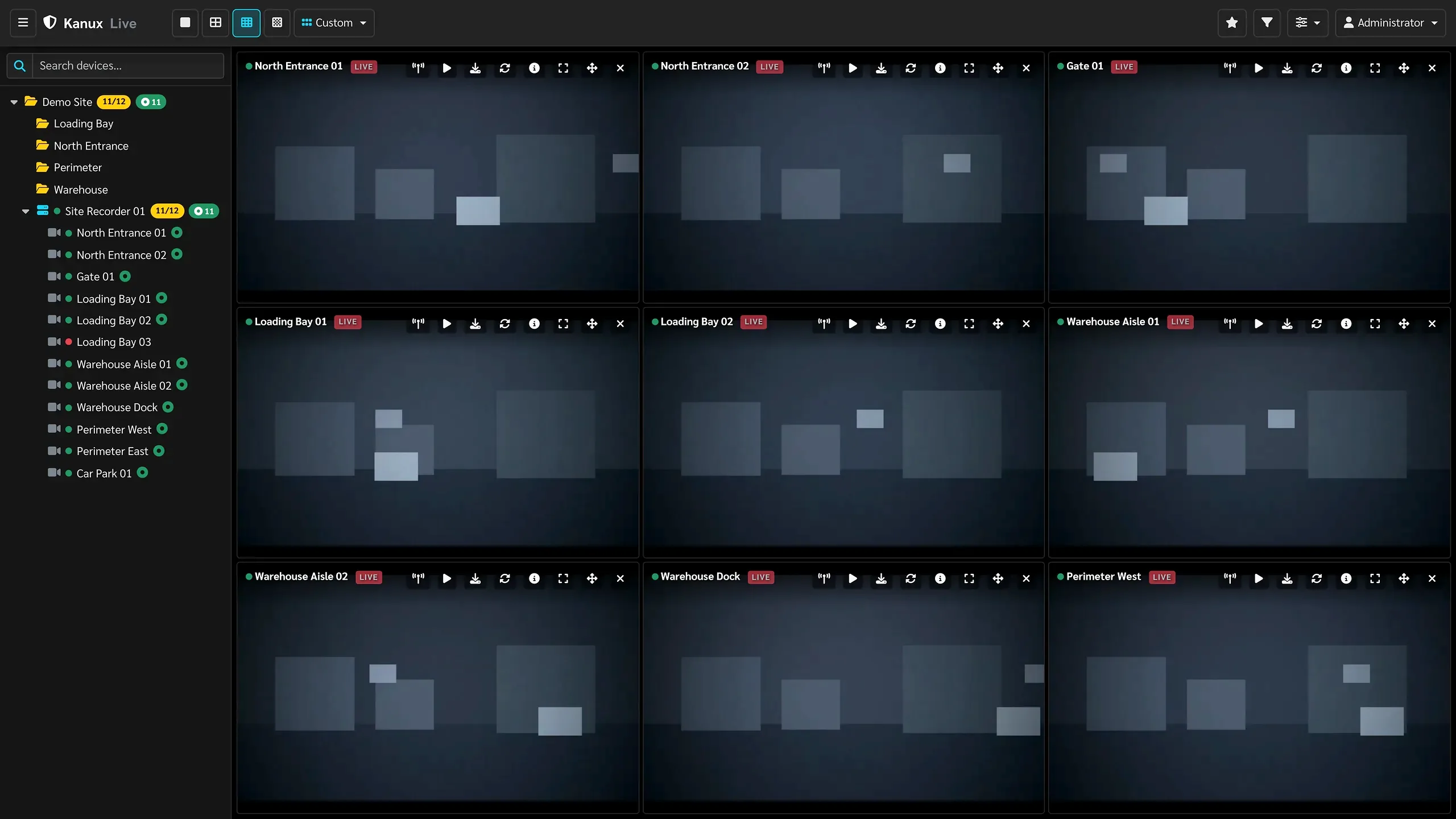
The Karnux live monitoring wall: a three by three grid of camera tiles, each labelled and marked live, beside the site and device tree.

Live monitoring in a saved 3×3 operator layout.

Recording and playback

From camera stream to exported clip.

Karnux records the streams it is given and builds playback and export from those recordings, so gaps stay visible the whole way.
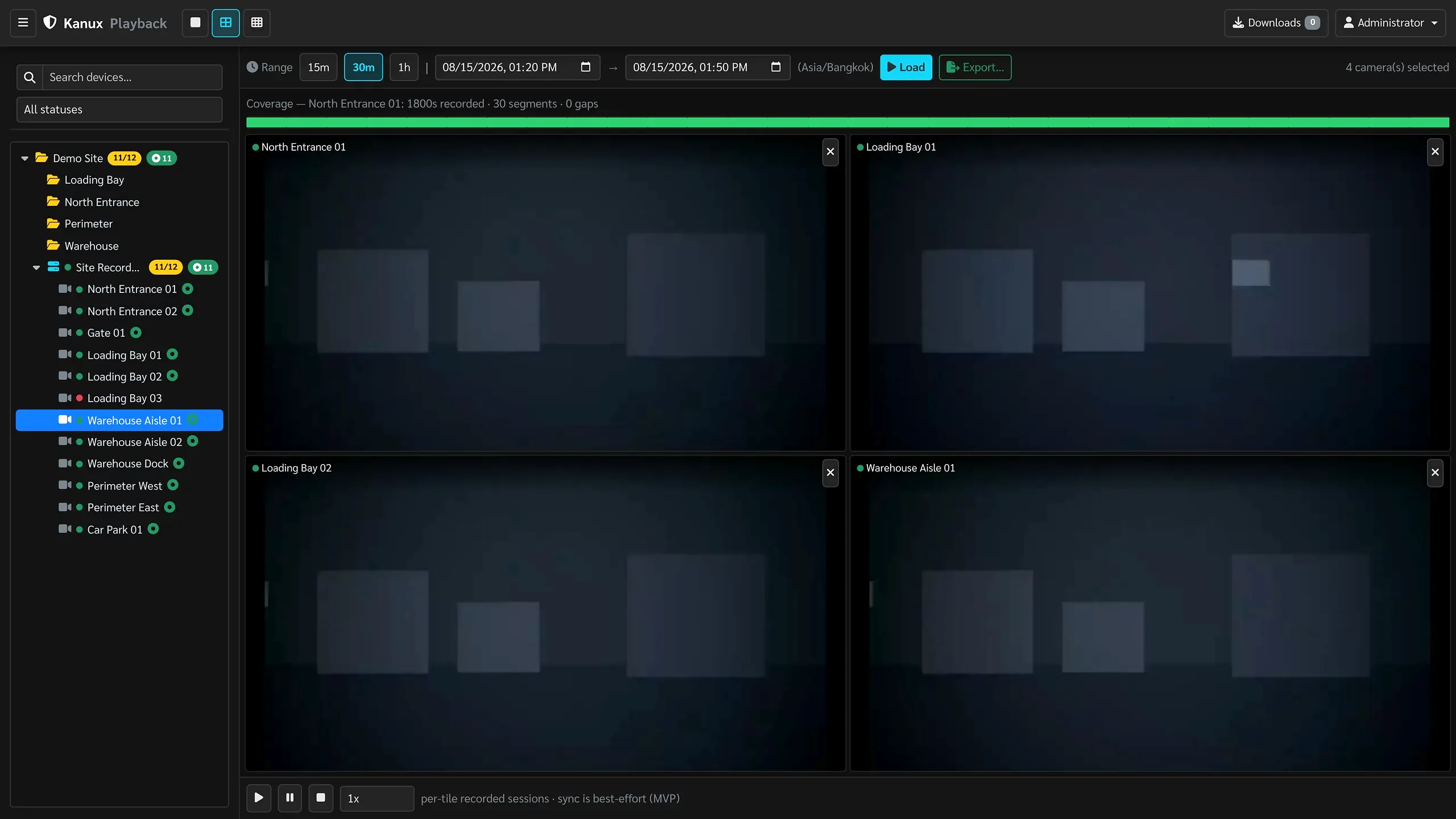
The Karnux playback view with a coverage bar showing recorded seconds, segment count and gaps, four cameras under review, and transport controls.
Playback across four cameras, with coverage built from Karnux recordings.

Review footage with the coverage in front of you.

Pick cameras and a time range. The timeline shows exactly where footage exists, because playback is built from Karnux recordings.

  • Multi-camera review in one view
  • Coverage and gaps on the timeline
  • Export the range you are looking at

Operational visibility

Know the system is recording, before footage goes missing.

Karnux watches its own recording, storage and system health, then puts what needs attention in front of the operator.
  • Incidents you can review, acknowledge and trace to a camera
  • Coverage gaps reported explicitly, never assumed away
  • Optional webhook or Telegram delivery for configured alerts
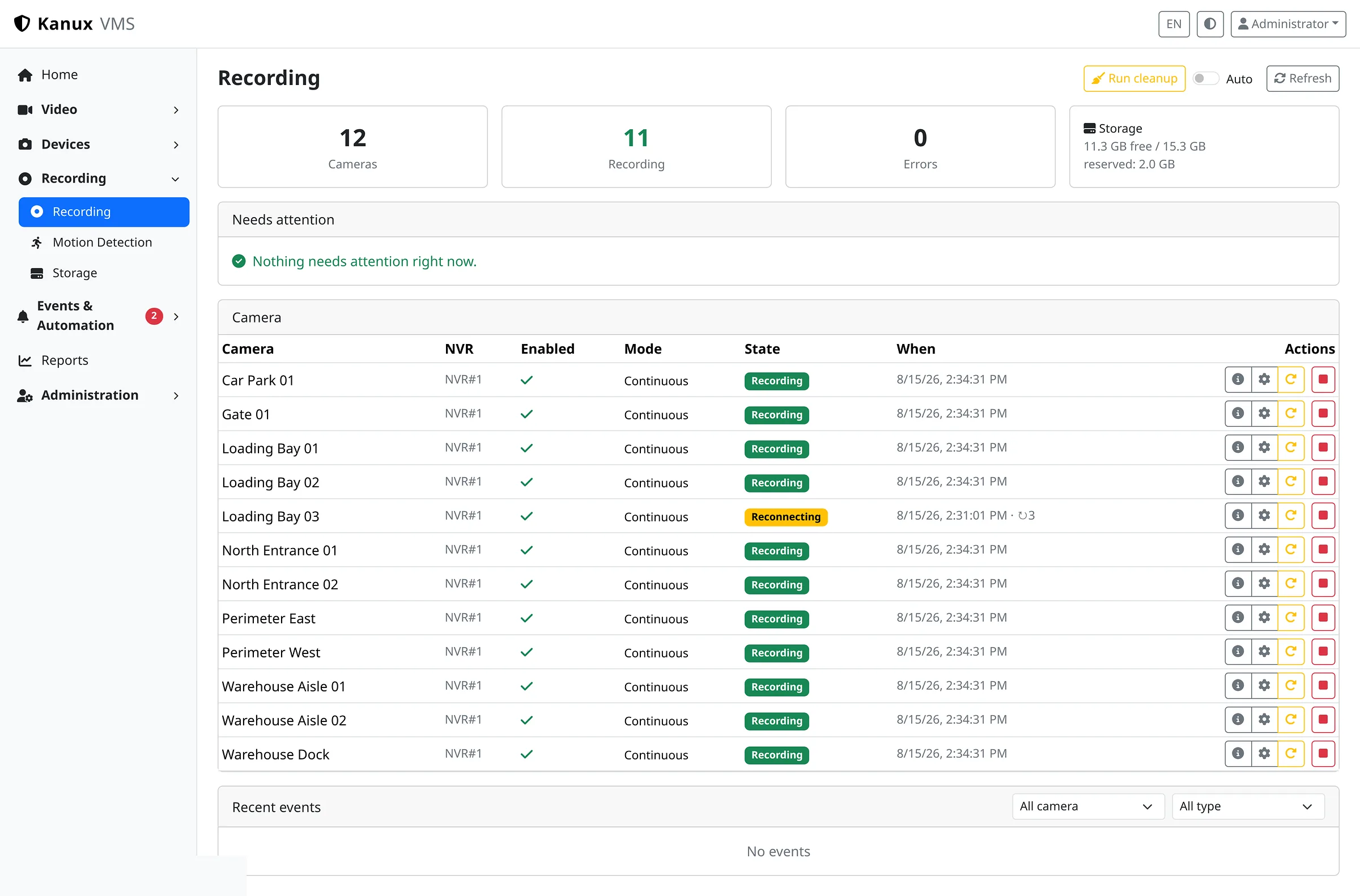
The Karnux recording page showing camera, recording and error counts, storage capacity, and per-camera recording state including one camera reconnecting.
Recording health per camera, with a camera reconnecting reported explicitly.
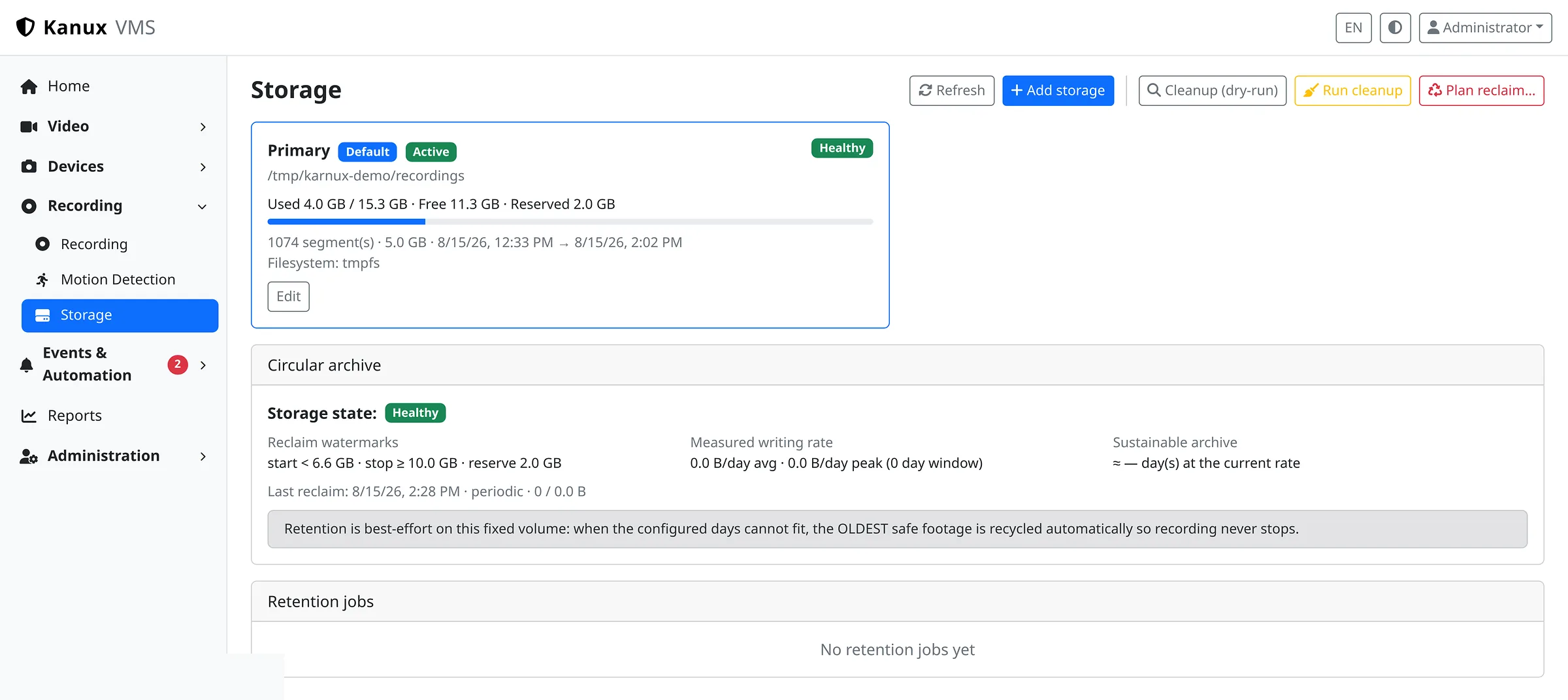
The Karnux storage page showing the recording volume with used and free capacity, reclaim watermarks, circular archive state and retention jobs.
Recording volumes, reclaim watermarks and retention state in one place.
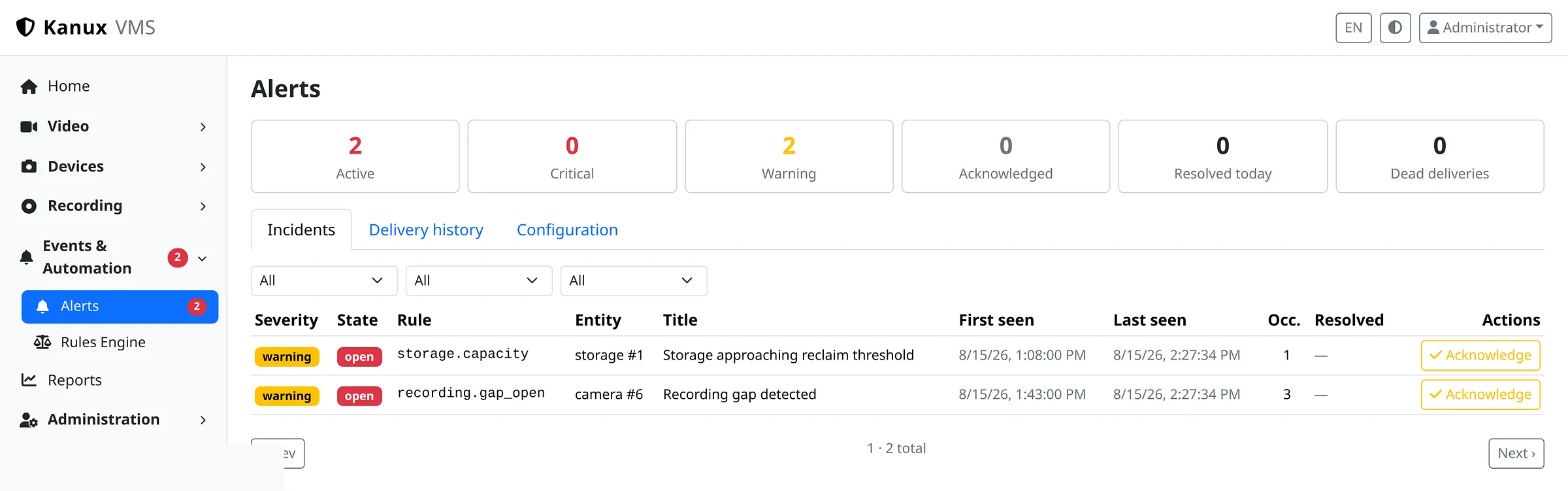
The Karnux alerts page showing active, critical and warning counts with an incident list including a recording gap and a storage threshold, each acknowledgeable.
Operational incidents with severity, first and last seen, and acknowledgement.

Device onboarding

Adding cameras is a guided workflow.

Discover devices on the network, verify credentials, configure recording and import. Nobody needs an RTSP cheat sheet.
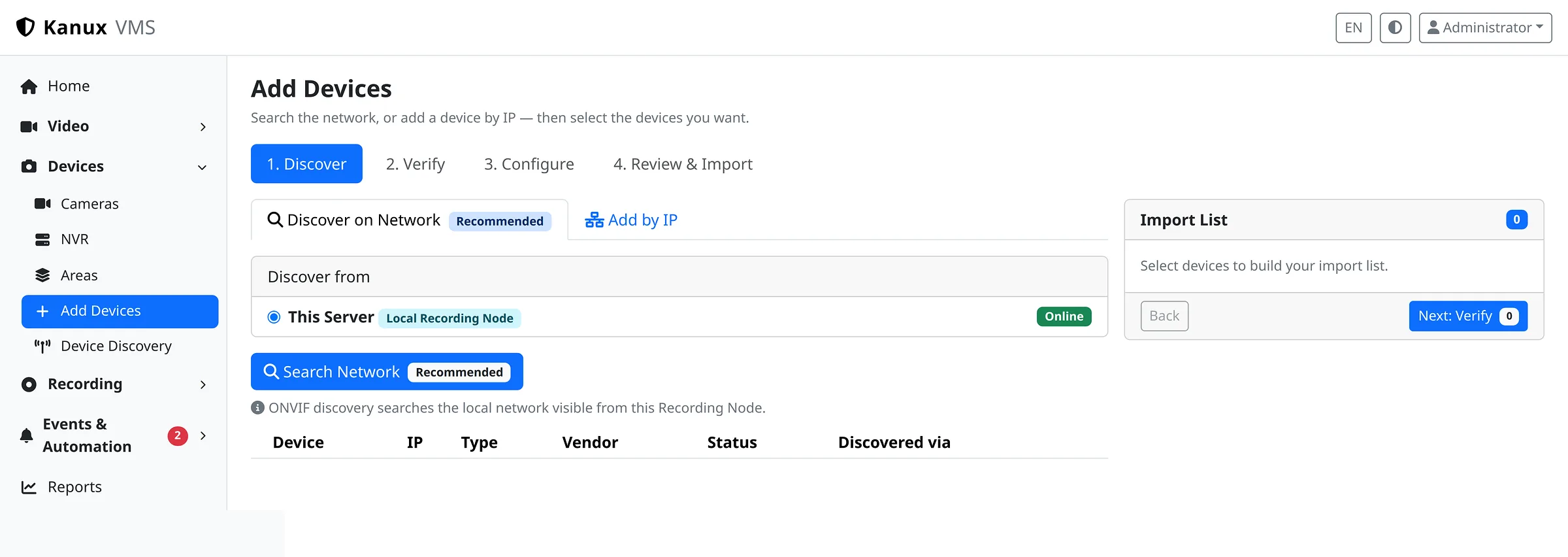
The Karnux Add Devices workflow at the discover step, showing the four stages, the recording node to search from, and network or add-by-IP options.
Guided onboarding: discover, verify, configure, review and import.
  1. 01Network discovery, or add a device by address
  2. 02Credentials checked per device before import
  3. 03Cameras and NVR channels assigned to a recording system

Works with the cameras and NVRs you already have.

RTSP video from IP cameras and NVR channels, with guided onboarding for supported ONVIF, Hikvision and Dahua devices.

Integration details
  • ONVIF
  • Hikvision
  • Dahua
  • RTSP

Deployment

Start on one server. Add recording nodes when you need them.

The same package covers both shapes, so a deployment can grow without changing product.

Standalone Karnux

Management, live video, recording, storage and every operator workflow run together on a single self-hosted server.

Centralized management with distributed recording nodes

One central management system holds configuration, camera assignments, users and fleet visibility, while each recording node keeps and serves the video it records.

Next step

Run video operations on your own terms.

Tell us about your cameras, your retention needs and how your team works. You will get a straight answer on whether Karnux fits.