Documentation
Planning and deployment information for Karnux.
A high-level overview of what the system needs, how it can be deployed, and what to check before production. Detailed installation guidance comes with a deployment conversation.
Section 01
System overview
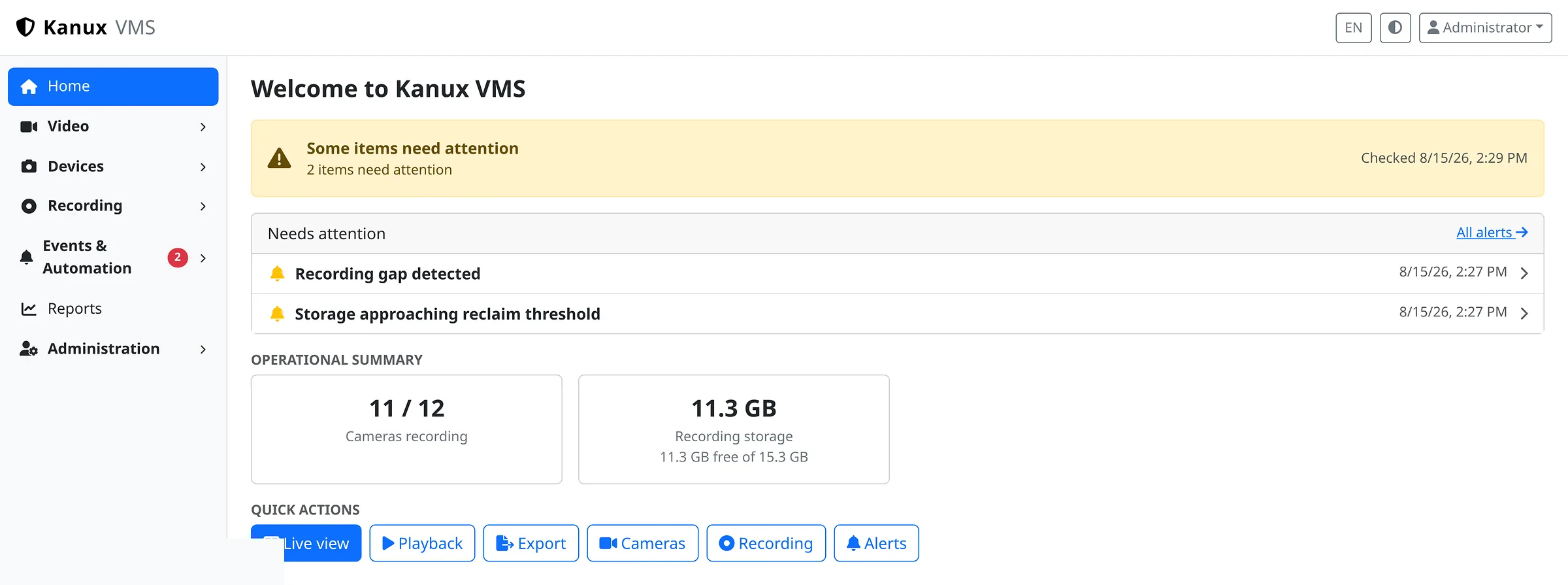
Karnux is a self-hosted video management system for IP cameras and NVR channels, with one browser interface for live monitoring, recording, playback, export, device onboarding and system administration.
It records the streams it is given and owns those recordings, so playback and export show exactly which footage exists.
Section 02
System requirements
Requirements are broad on purpose. The right hardware follows your camera count, stream profiles and retention, and is confirmed during planning.
- Server
- A Linux server. The current packaged target is Ubuntu 22.04 or 24.04 on amd64.
- CPU and memory
- CPU, memory and storage requirements depend on camera count, stream profiles and retention. Size them from your actual environment.
- Storage
- Storage should be sized for the required retention period. Multiple local recording volumes are supported, with circular retention.
- Network
- Network capacity must support the video traffic between cameras, recording systems and operators.
- Operator interface
- A modern browser is required for the operator interface. Live view requires a compatible H.264 stream.
- Distributed deployments
- Central management needs its own database, provisioned during installation. Recording systems keep their operating data locally.
Section 03
Deployment models
The same package installs in two shapes. Start on one server and grow into distributed recording, or plan for distributed from day one.
Video is served by the node that recorded it
The media boundary, simply
- 01Recording stays on the node each camera is assigned to.
- 02Management is centralized: configuration, users and fleet state live in one place.
- 03When an operator opens video, it comes from the node that owns the recording.
There is no shared recording storage and no automatic recorder failover. Assignments are set by an administrator.
Section 04
How the system connects
Two paths run side by side. Video flows from cameras into the recording system and out to operators. Management carries configuration, assignments and health.
01Video path
02Management path
Section 05
Before production
The short list worth reading before you commit hardware and cameras. Each point reflects the product as it works today.
- Validate camera models and firmware with representative units before standardizing a deployment.
- Browser live view requires a compatible H.264 stream.
- H.265 recording and export are supported. Playback of recorded H.265 depends on the codecs the viewing device supports.
- ONVIF discovery reaches only the network visible from the system performing the search. Devices elsewhere are added by IP.
- Map base tiles require internet access or an internal tile service. The device list works without them.
- In distributed deployments, camera-to-node assignments are set by an administrator and are static.
- Automatic recorder failover is not currently provided. Plan node capacity with that in mind.
Detailed guidance
Need the full installation details?
Release-specific installation steps, runbooks and environment guidance are shared as part of a deployment conversation. Tell us about your environment and we will walk through it together.