Product overview

A video management system you run yourself.

Live monitoring, recording, playback, export and system visibility, in one browser interface on your own servers.

What Karnux is

Your cameras. Your recordings. Your servers.

Karnux records the video your cameras already produce, keeps it under a retention policy you set, and gives operators a fast path from live view to the footage they need.

  • Live monitoring, recording, playback and export in one interface.
  • Recording coverage, storage and system health always visible.
  • One server to start, recording nodes when you need them.
At a glanceKARNUX VMS
Runs on
A self-hosted Linux server (Ubuntu 22.04 or 24.04, amd64)
Interface
Browser-based, with English and Thai operator interfaces
Video source
RTSP streams from IP cameras and NVR channels
Recorded video
Owned and served by the Karnux system that recorded it
User access
Role-based permissions with session control and audit records
Deployment
Standalone, or central management with distributed recording nodes

The video lifecycle

Follow one camera from stream to exported clip.

Playback and export come from Karnux recordings, so what an operator reviews is what the system captured.

  1. 01 · Video sourceIP cameras and NVR channels

    Configured RTSP streams from cameras and NVR channels, onboarded through guided discovery or entered directly.

  2. 02 · KarnuxLive view and recording engine

    Karnux connects to each assigned stream, serves live video to the browser and runs the recording workers.

  3. 03 · RecordingKarnux-owned recordings

    Continuous recording writes indexed segments and records any coverage gap explicitly.

  4. 04 · Storage & retentionManaged recording volumes

    Footage lands on registered volumes and is reclaimed by age, quota and capacity pressure under a reviewed plan.

  5. 05 · PlaybackReview with visible coverage

    Playback is built from Karnux recordings, so the timeline shows exactly which footage exists.

  6. 06 · ExportMP4 clips for handover

    A selected camera and time range becomes a managed MP4 job with a protected download.
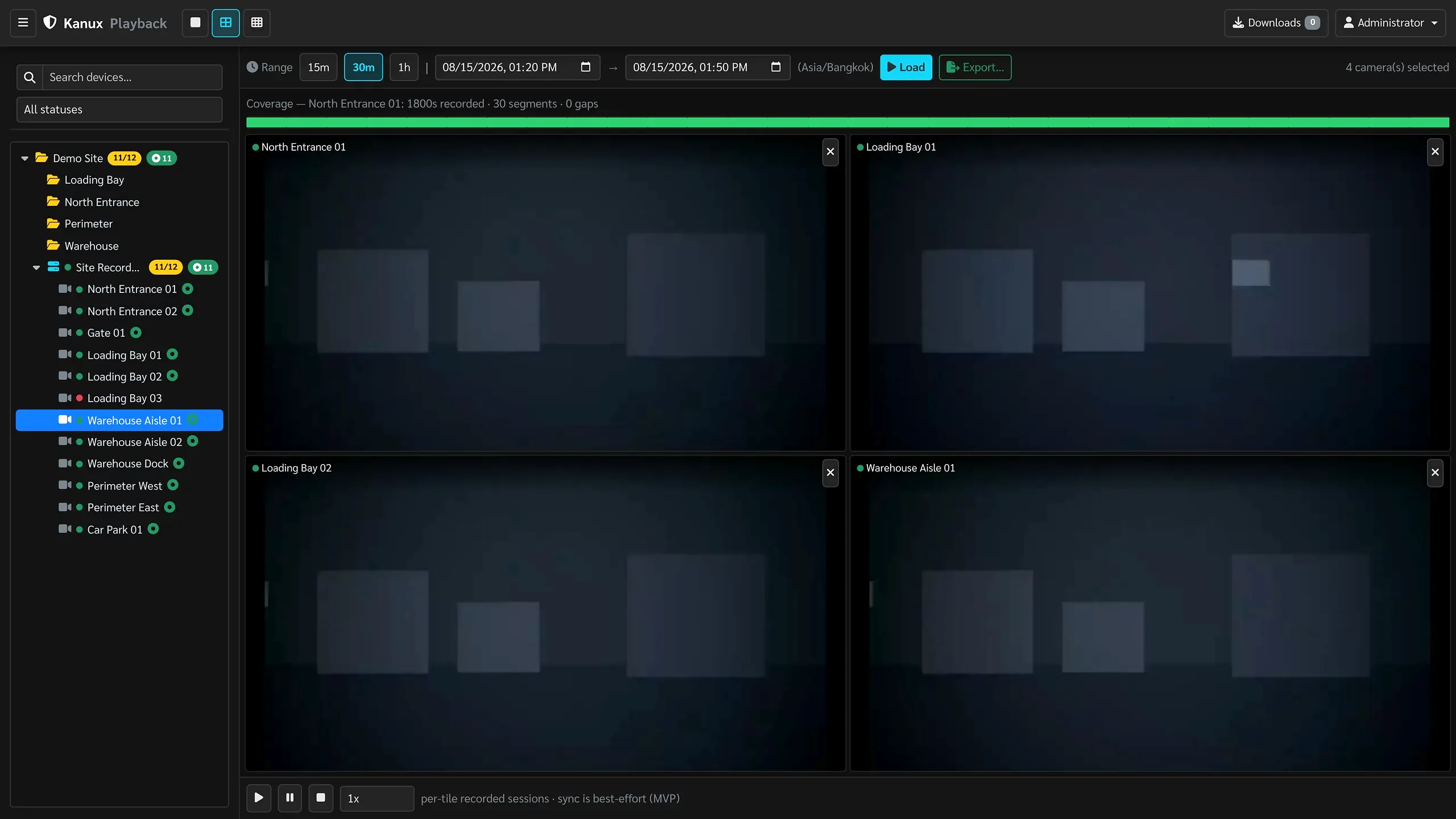
Playback and export are built from Karnux recordings. Operational alerts and health cover every stage of this path.
The Karnux playback view with a coverage bar showing recorded seconds, segment count and gaps, four cameras under review, and transport controls.
Playback across four cameras, with coverage built from Karnux recordings.

Operator interface

The shift starts from the current operating picture.

Home opens on overall status, what needs attention and the actions operators reach for most.
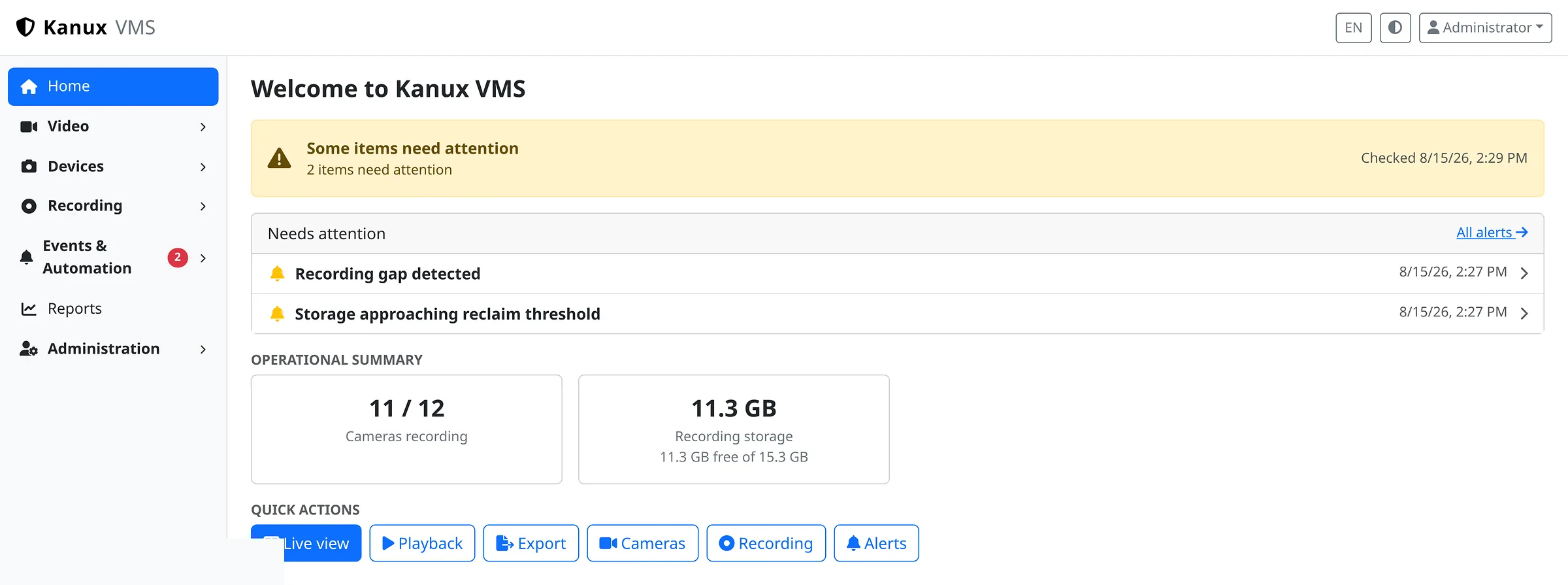
The Karnux Home command centre showing an attention banner, the needs-attention list, an operational summary of cameras recording and recording storage, and quick actions.
Home opens on overall status, what needs attention and the operational summary.
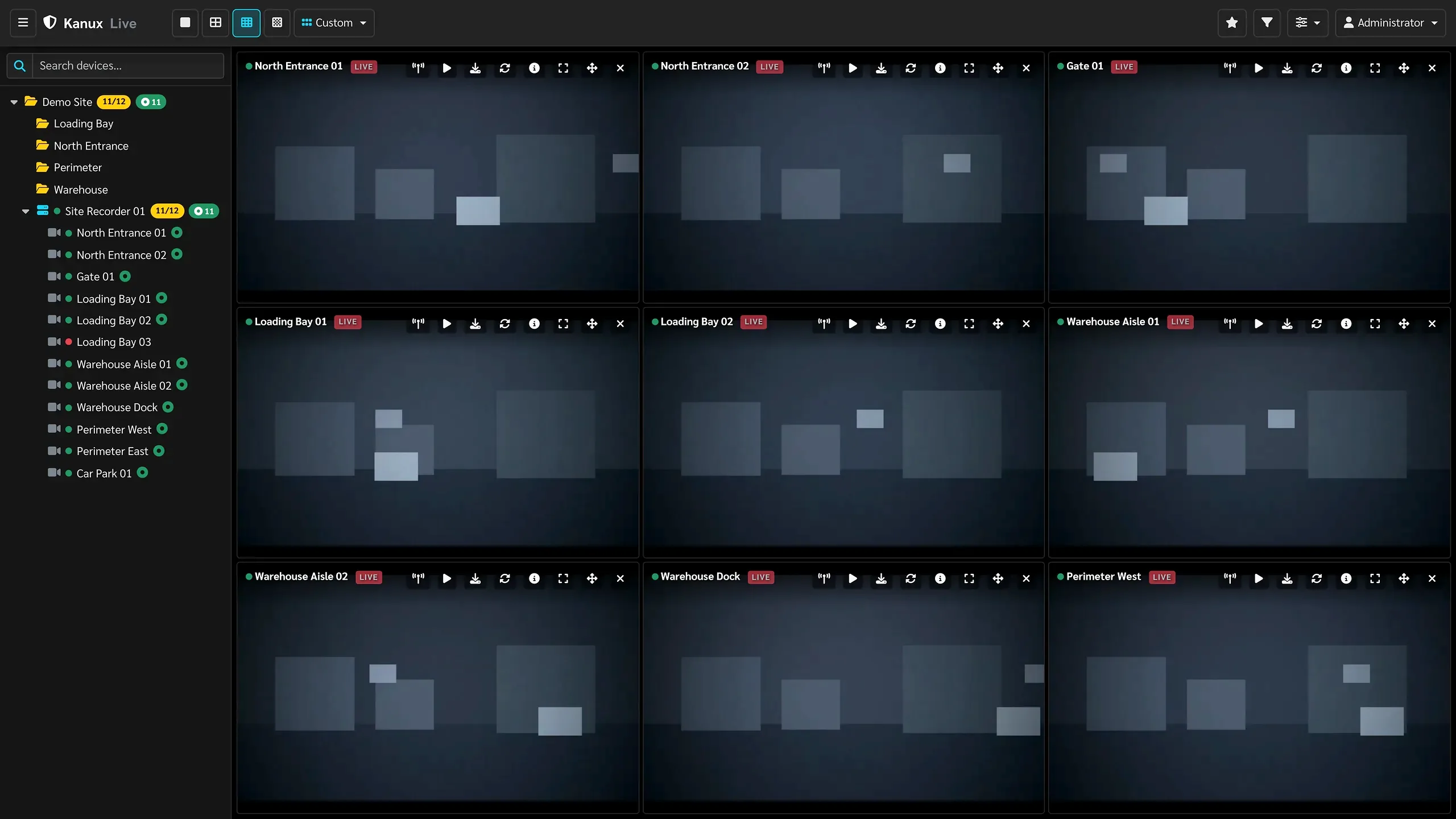
The Karnux live monitoring wall: a three by three grid of camera tiles, each labelled and marked live, beside the site and device tree.
Live monitoring in a saved 3×3 operator layout.
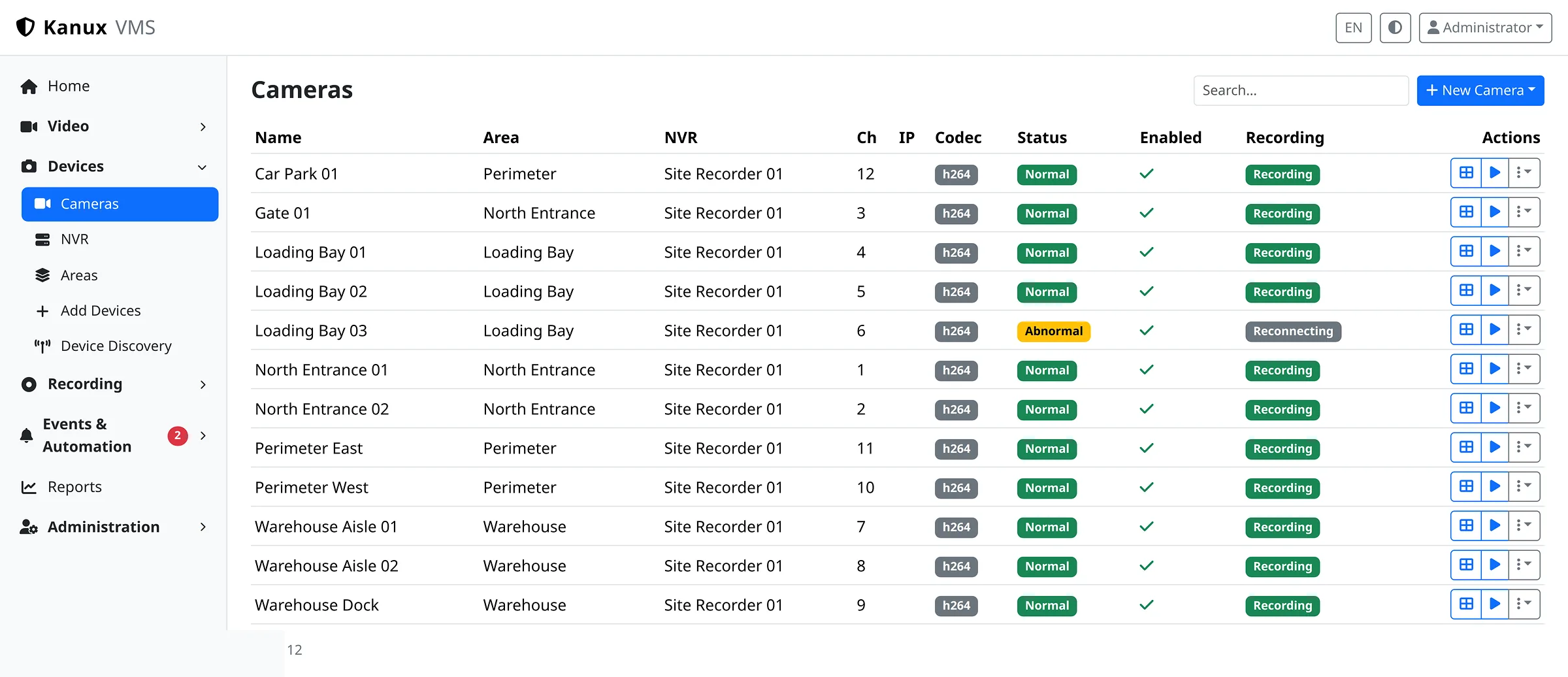
The Karnux camera inventory listing twelve cameras with their area, recorder, channel, codec, status and recording state.
Every camera with its area, recorder, codec and recording state.

Architecture

One video path, two deployment shapes.

The system that records the footage also serves its live, playback and export video. Distributed deployments add central management on top.

01Video path

Video sourcesIP cameras / NVR channelsConfigured RTSP streams and device metadata
Recording systemKarnux recording nodeLive video, recording, playback and export
Local dataRecording index + volumesIndexed segments, gaps and retention

02Management path

ManagementStandalone or central managementConfiguration, assignments, users and fleet summaries
Operator experienceProtected browser interfaceThe interface from management, the video from its recording node
How video reaches the operatorThe browser loads the interface from the management system, and live, playback and export video directly from the recording node that owns it.
Standalone Management, video processing, recording and storage all share one server.Distributed Central management coordinates configuration, camera assignments and system health, while each recording node keeps its own footage.
Video is always served by the system that recorded it. Deployment details are covered in the documentation.

Deployment models

Each server has an explicit role.

One server can run everything, or central management can coordinate separate recording nodes.

One self-hosted system

Standalone Karnux

Management, live video, recording, storage and every operator workflow run together on a single self-hosted server.

All recorded video stays on that server.

Central management + recording nodes

Centralized management with distributed recording nodes

One central management system holds configuration, camera assignments, users and fleet visibility, while each recording node keeps and serves the video it records.

Each camera is assigned to a recording node by an administrator.

Combined management and recording

Central management that also records

The central management server can also act as a recording node, so a deployment can start small and add dedicated recording nodes later.

Additional recording nodes keep their own assigned cameras and footage.

Cameras are assigned to a recording system by an administrator. Automatic recorder failover, load balancing, shared recording storage and multi-site federation are not implemented.See the deployment documentation

Evaluate Karnux

Map Karnux to your video operations.

Share your camera environment, retention needs and priorities. We can talk through fit, configuration-dependent features and deployment boundaries.